Everything you need to track your stuff

NFC tags, QR codes, stocktake, photos, custom fields, full activity history, and label printing. All free, all on your phone.

NFC Tags & QR Codes

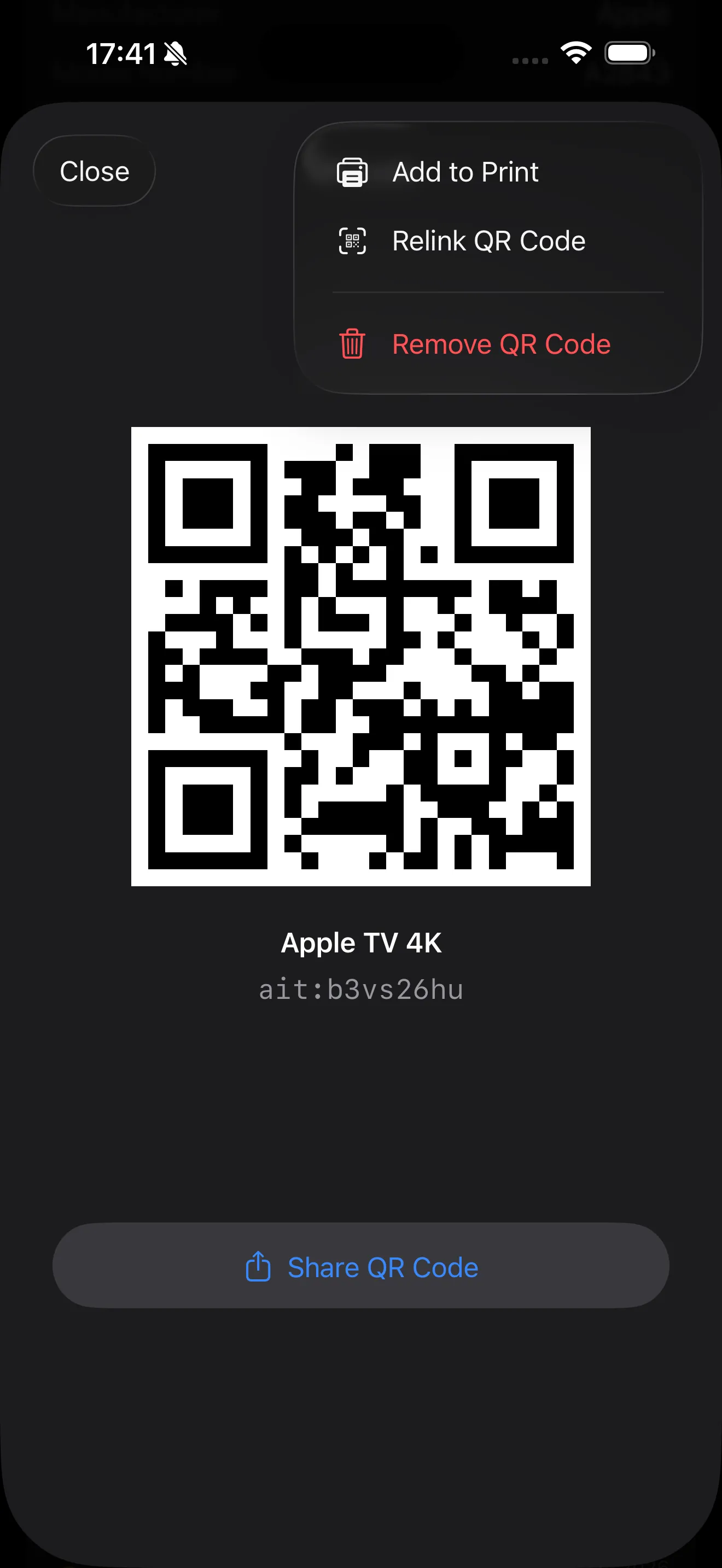
Stick an NFC tag or QR sticker on a shelf, cupboard, or storage box. Tap your phone or scan the code to instantly see what's there.

  • Write location IDs directly to NFC tags
  • Generate QR codes for any item or location
  • Tap or scan to check items in and out
  • Works offline - no internet needed
QR code generation with print and share options

Full Activity History

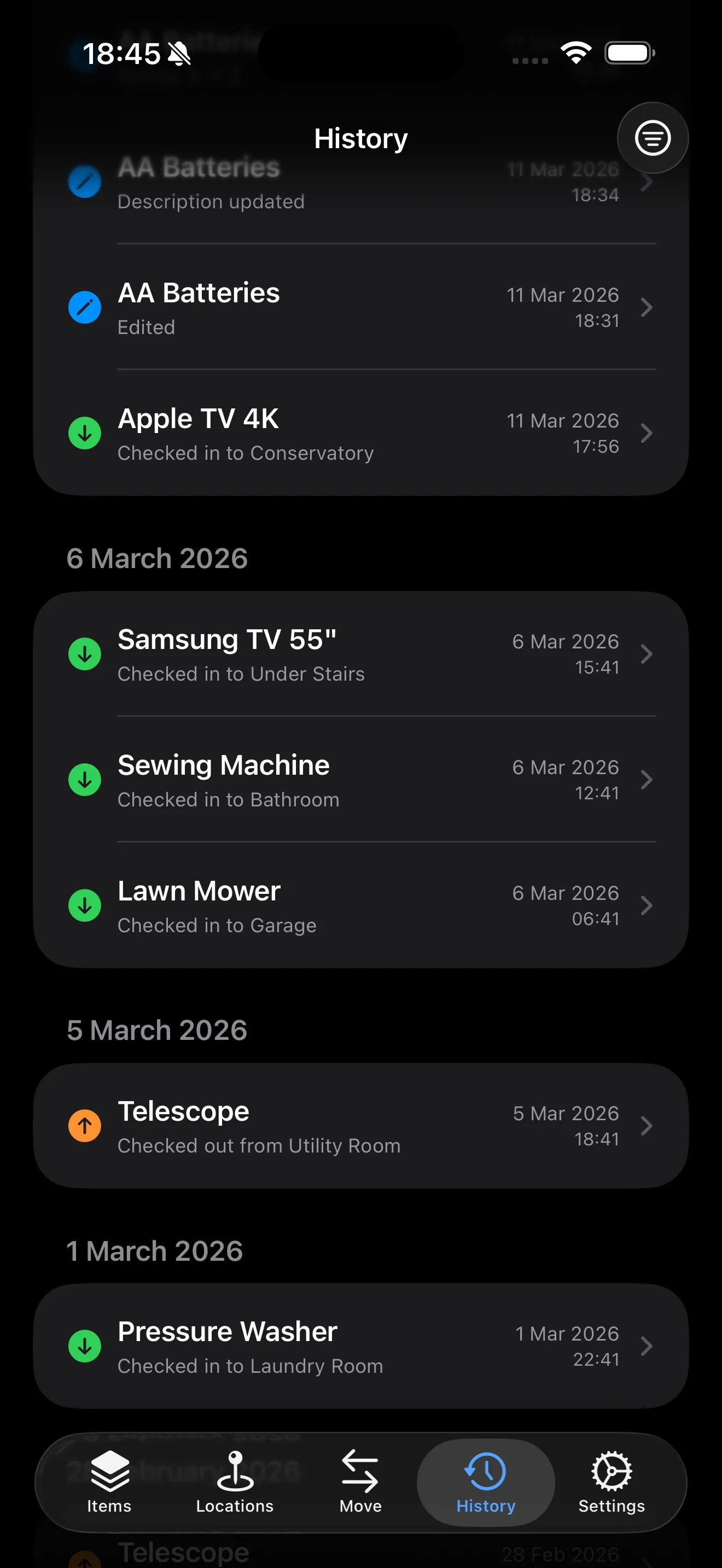
See everything that happened to every item. Check-ins, check-outs, edits, quantity changes, and deletes - all in one place, grouped by day.

  • Every action recorded automatically
  • See what changed and who did it
  • Field-level edit tracking
  • Filter by action type or date range
  • Search by item, location, or keyword
Activity history grouped by day showing check-ins, edits, and changes

Track Every Detail

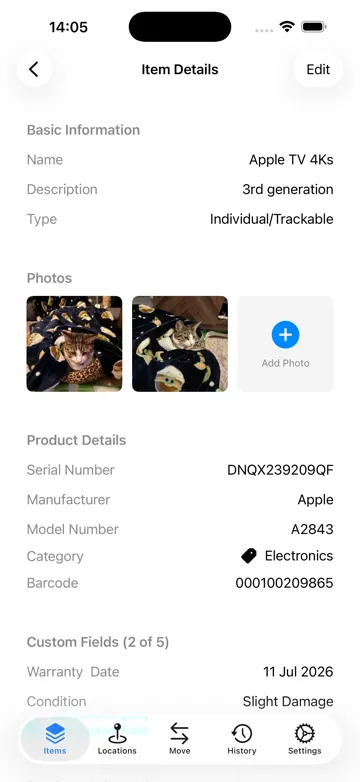
Photos, serial numbers, purchase info, tags, and custom fields. Whatever you need to know about each item, it's all in one place.

  • Add photos from camera or library
  • Serial numbers, barcodes, purchase dates
  • Custom fields: text, numbers, dates, dropdowns, ratings
  • Tags for flexible categorisation
  • Set reminders on date fields
Item detail view with custom fields, NFC tag, and QR code

Print QR Label Sheets

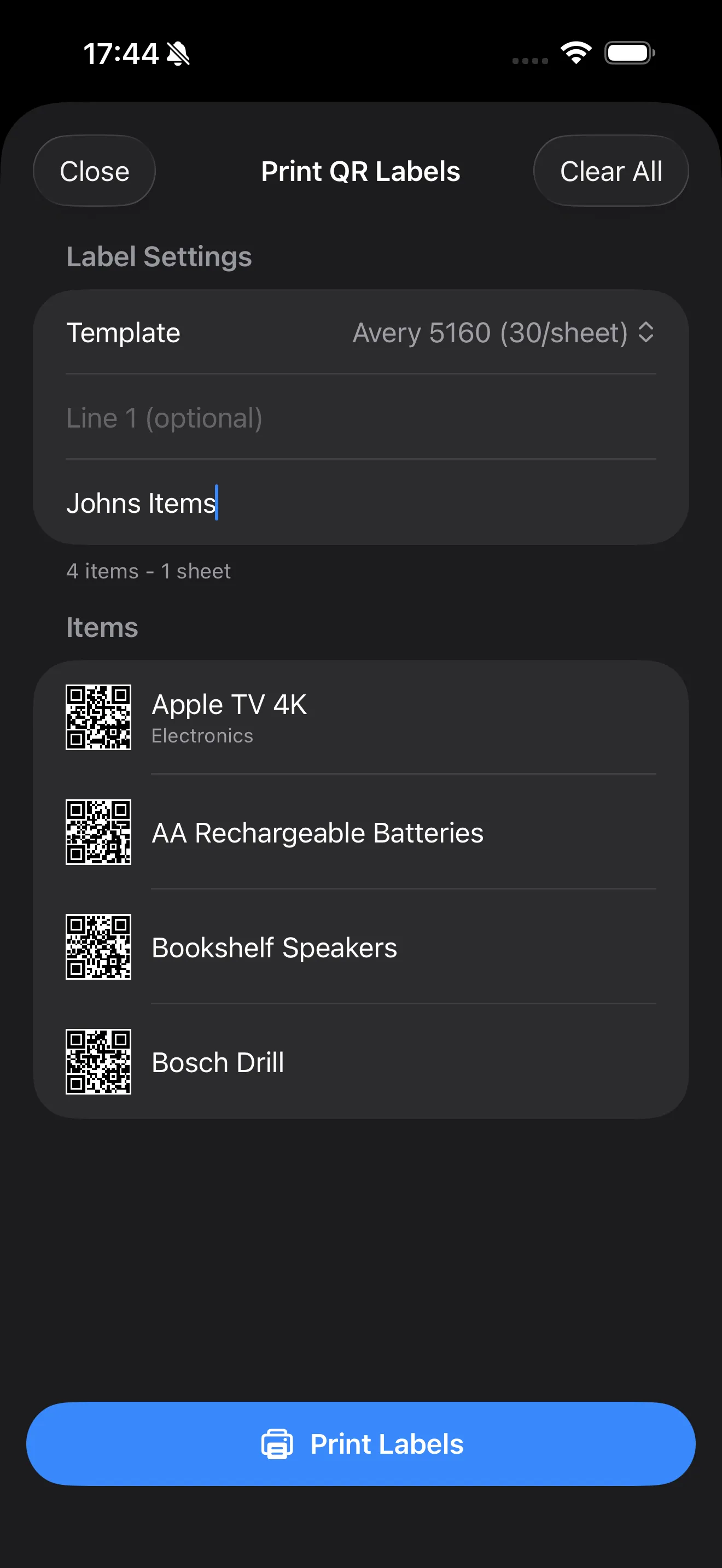
Add items to a print queue and generate label sheets on standard Avery templates. Print them at home and stick them wherever you need.

  • Avery 5160, 5163, and other templates
  • Add custom text lines to each label
  • Print directly from your phone
  • QR codes auto-generated for each item
Print QR labels with Avery template selection

Advanced Search & Filters

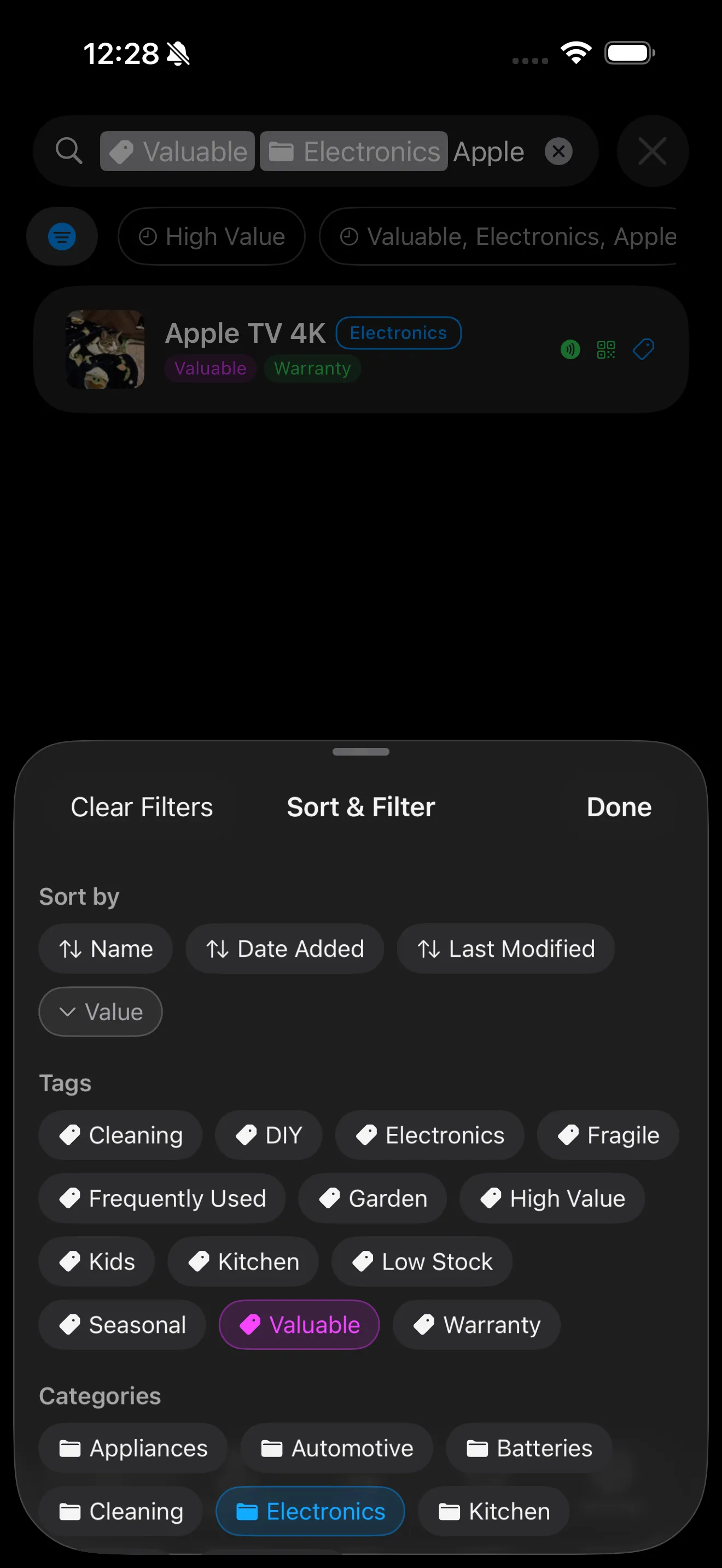
Find exactly what you need in seconds. The filter bar lets you narrow down your inventory by multiple criteria at once, and sort results however you like.

  • Filter by tag, category, location, or status
  • See what's sold, missing, or lent out at a glance
  • Sort by name, date added, value, or quantity
  • Combine multiple filters at once
  • Save a default filter so the right view loads every time
Filter bar showing tag, category, and sort options

Lending & Borrower Tracking

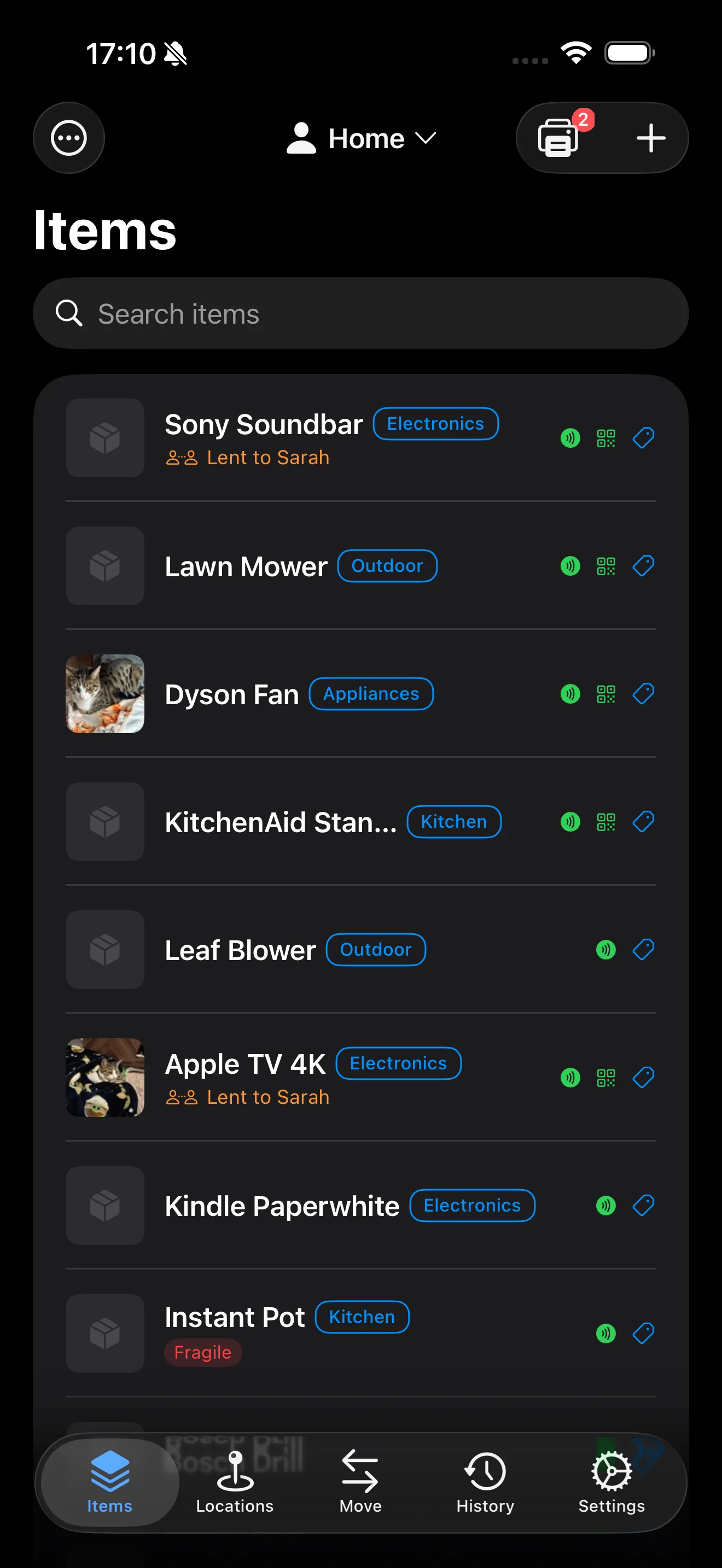
Lend items to friends, family, or colleagues and never lose track. See who has what at a glance, with contact details and overdue alerts right in your item list.

  • Record who you lent each item to
  • Add contact details for easy follow-up
  • Set a return date and get overdue alerts
  • See lending status directly in your item list
  • Mark items as returned with one tap
Item list showing lending status with borrower names

Stocktake

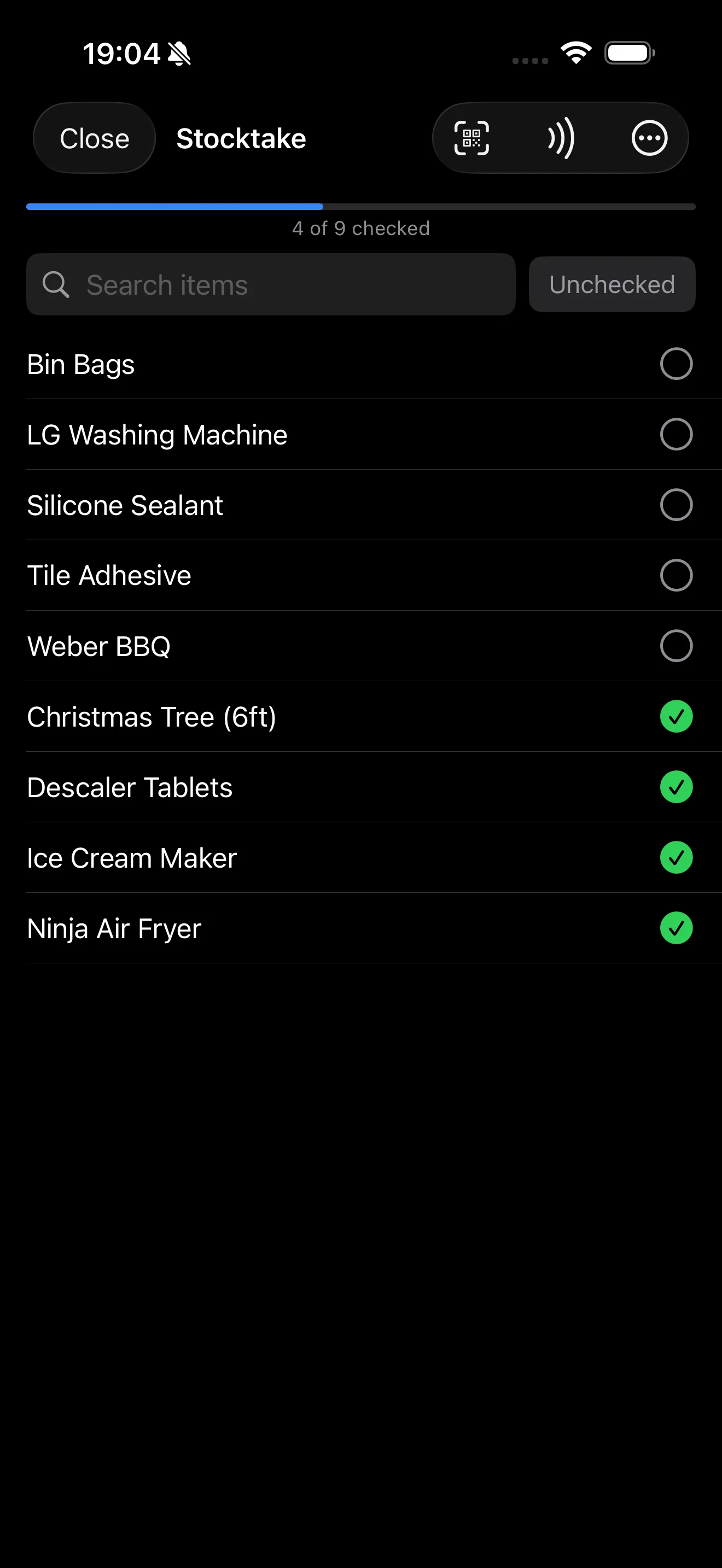
Verify what you actually have against what the app says. Walk through a room, scan QR codes or tap NFC tags, and check items off as you go. When you're done, see exactly what's accounted for and what's missing.

  • Scan QR codes or NFC tags to check items off
  • Run a stocktake on your whole inventory or a filtered subset
  • See found, missing, and unexpected items at a glance
  • Mark missing items or confirm they're still there
  • Export a reconciliation report as CSV
Stocktake checklist showing found and missing items

And More

📍

Organise by Location

Create locations like "Garage", "Kitchen", or "Shed". Nest them for more detail - "Garage > Workbench > Top Drawer".

📦

Track Anything

Individual items like tools and electronics, or bulk consumables like screws and batteries. Quantities, categories, and tags for everything.

📋

Low Stock Alerts

Set a threshold on any item and get a notification when stock drops below it. Never run out of the things you rely on.

📤

Import and Export

Import items from a CSV file or export your inventory any time. Choose which columns to include, edit in a spreadsheet, and re-import to make bulk changes.

🔔

Reminders

Set reminders on date fields like warranty expiry or next service. Get notified before important dates come up.

📷

Scan Text with Camera

Point your camera at a serial number, model number, or any text and scan it straight into any field. No typing needed.

Start Tracking Your Stuff

Free to download. No account needed. Works offline.

Download on App Store