A private home inventory app
A home inventory is a list of everything you own, with photos, serial numbers and what you paid. Worth knowing where that ends up. In additem.to it stays on your iPhone: no account, nothing uploaded unless you ask for it. And if you don't want the online features there at all, there's a switch that removes them.
No account needed
Most inventory apps want you to sign up before you can add anything, because the app is really a window onto their server. additem.to works the other way round. The database is on your phone, and the cloud is an optional extra you can ignore.
Install it and start adding things. No sign-up, no email, no "create your workspace" screen. Your items, photos, locations and history sit on the device, and the app works fine in a shed with no signal.
You only need an account if you want sync across devices, the web app, or AI scanning. Plenty of people never turn any of that on.
Turning off the online half
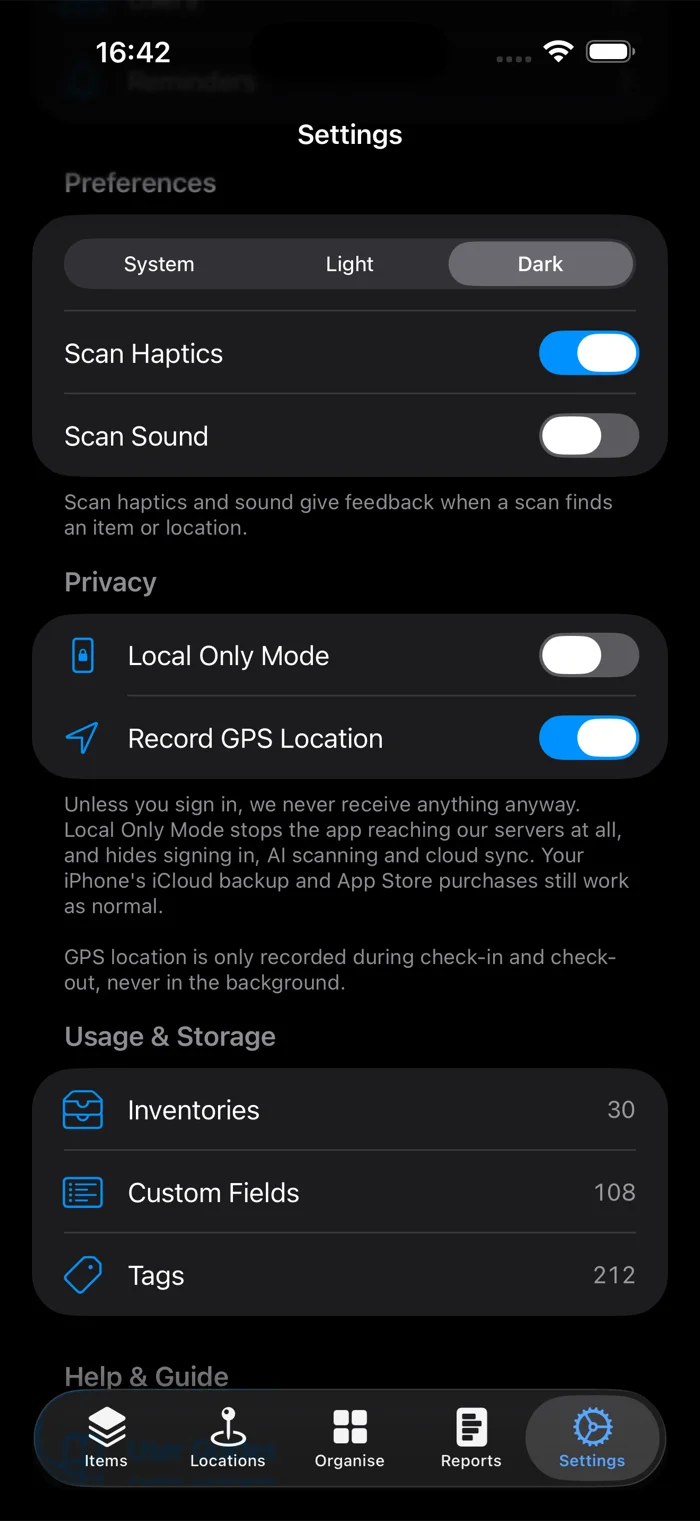
None of the above needs an account, but the buttons for AI, syncing and signing in are still sitting there. If you're never going to use them, Local Only Mode takes them out - a switch in Settings, under Privacy.
It also stops the app connecting to our servers at all. Not the buttons, the connections themselves, so it covers anything the app could send rather than only the features that are hidden. If you were never signed in, nothing was going anywhere regardless - the difference is that now it can't, including in whatever we add later.
Out go AI scanning, cloud sync and sharing, and sign-in. Everything else is untouched: items, photos, locations, tags, NFC, QR codes, reports, import and export. It's free, works on every tier, and you can turn it off again whenever.
What about iCloud backup?
Local Only Mode means we receive nothing. It doesn't mean nothing leaves the phone, and it would be easy to blur that, so:
- iCloud Backup. If you have it on, iOS includes our database and photos in your device backup, same as any other app. That's your iPhone backing itself up to your Apple account. Nothing to do with us, and we can't see it. Turn it off for additem.to in iOS Settings if you'd rather it didn't.
- App Store purchases. Buying Pro Local goes through Apple.
What we can say is that turning the internet off for this app costs you nothing, which isn't true of an app that keeps your inventory on someone else's server.
Using it without AI
AI scanning never runs on its own. It needs an account, a separate consent step, and you tapping the button. A photo only goes anywhere when you scan one.
If you'd rather not see it, Local Only Mode takes every AI button out of the app. If you do want it, the AI scanning guide covers what gets sent and what comes back.
Already syncing?
You can still switch. When a Pro Cloud subscriber turns it on, three things happen first:
- Anything still waiting to sync is uploaded, so nothing in flight gets lost
- Your full size photos are copied to the phone. Photos that came from the cloud are held as thumbnails on the device, so without this you'd be left with small copies
- You're signed out
Anything you change while it's on is kept, and syncs when you turn it off and sign back in.
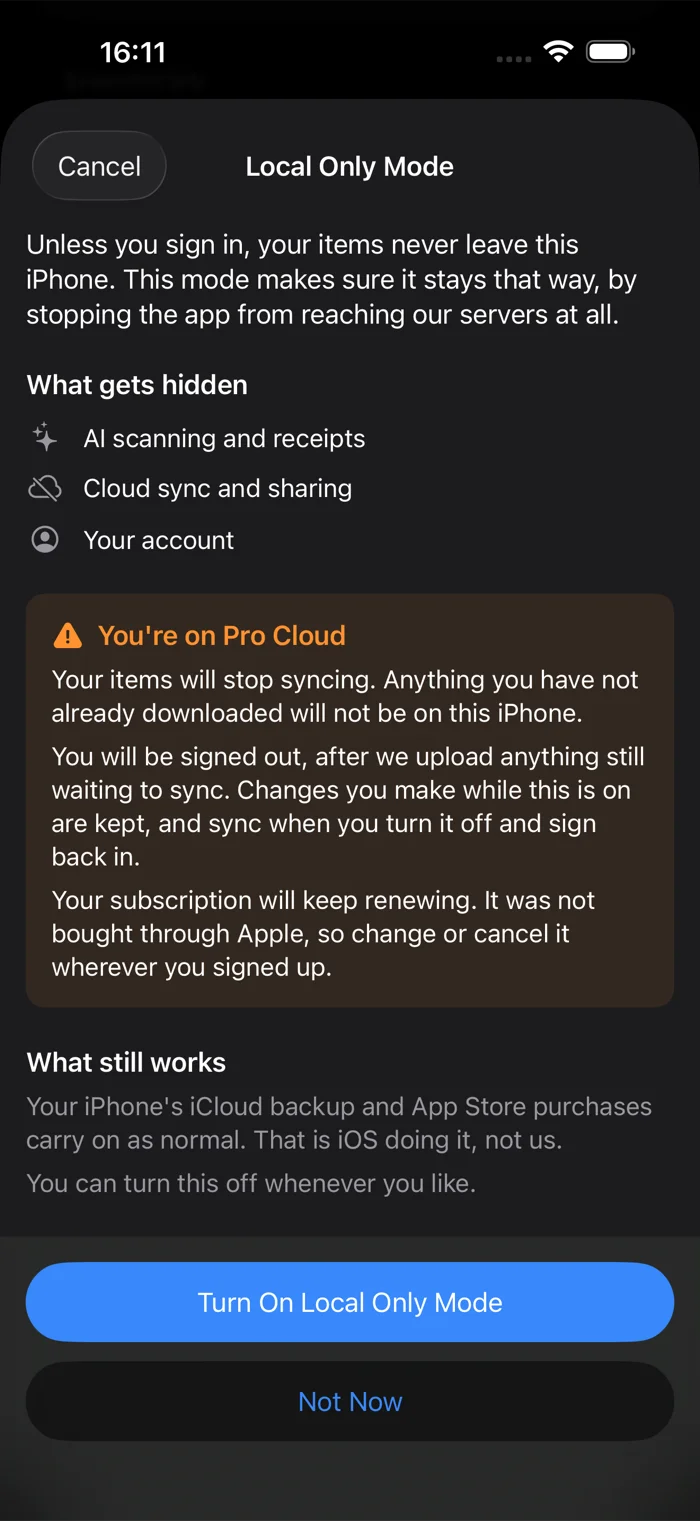
Your subscription carries on renewing until you change it, because hiding sync doesn't cancel anything. If you bought it through Apple the app offers to move you to Pro Local, which is cheaper and keeps everything except sync and sharing. Apple applies that at your next renewal.
In short
- No account, ever, for the core app
- Your inventory lives on your iPhone
- Local Only Mode stops the app reaching us at all, free, on every tier
- AI is opt-in and can be hidden completely
- iCloud Backup is between you and Apple, and we won't pretend otherwise
additem.to is a free iPhone app for home and small-business inventory. No account needed, everything stored on your phone, and Local Only Mode stops it contacting us at all.
Download on the App Store